
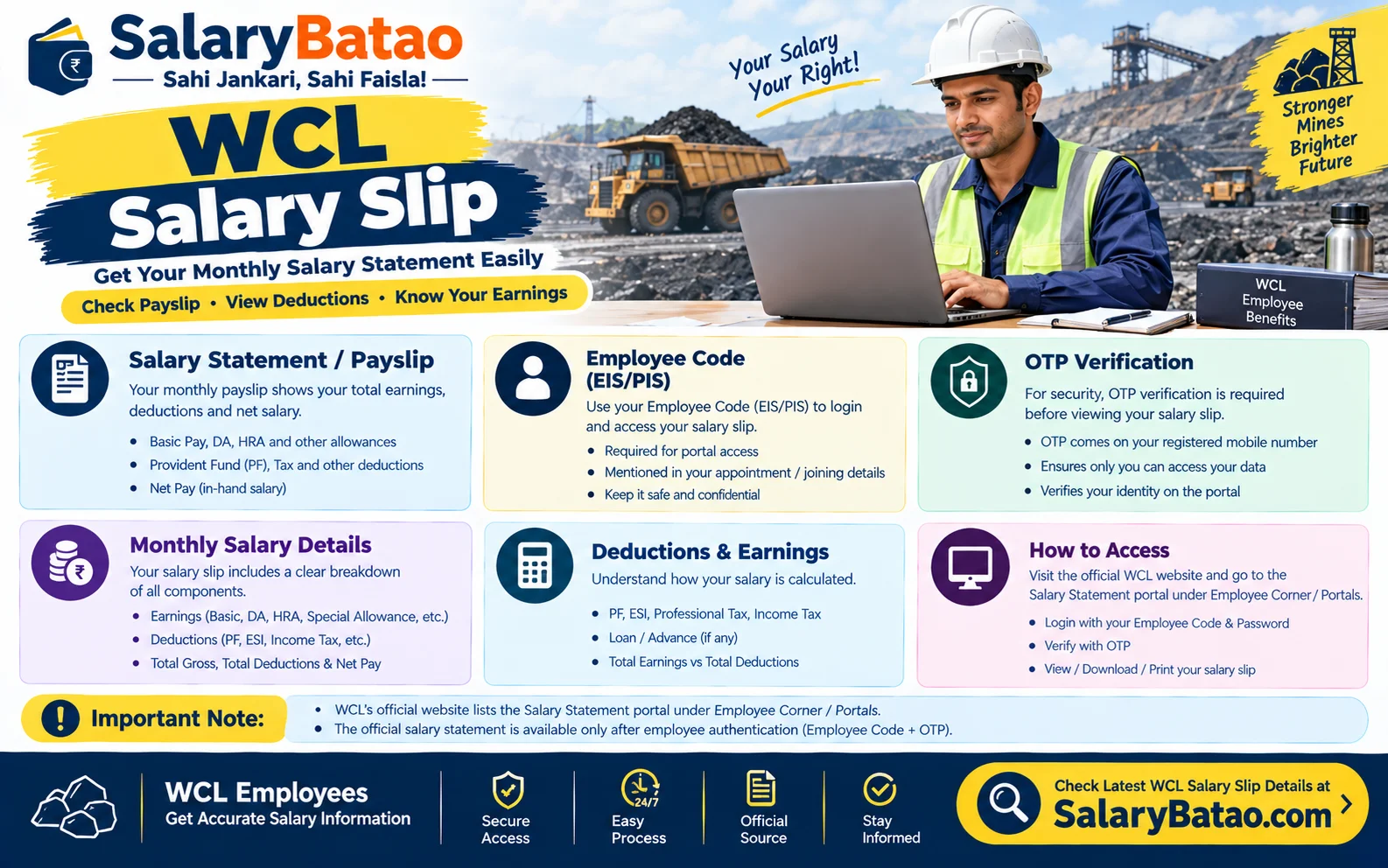
Your WCL Salary Slip is the monthly pay statement Western Coalfields Limited issues through its employee portals, and you can download it as a PDF after logging in with your employee credentials.
Picture the scene. The bank manager wants proof of income, the loan form wants your last three months’ payslips, and your HR clerk is on leave. Suddenly that little PDF becomes the most important document in your life.
This guide covers where to get your WCL Salary Slip, how to read every line, and how to spot errors before they cost you money. It’s updated for 2026.
What Is a WCL Salary Slip?
A WCL Salary Slip (also called a payslip) is the official monthly record of what Western Coalfields Limited paid you, what it deducted, and what landed in your bank account.
Quick definitions:
- Gross pay: everything you earned before deductions.
- Deductions: provident fund, income tax, loan recoveries, society dues and similar items.
- Net pay: the money that actually reaches your account.
About the company: Western Coalfields Limited is one of the eight subsidiaries of Coal India Limited, has its registered office at Coal Estate, Civil Lines, Nagpur, and received Miniratna status on 15 March 2007. Your payslip carries that PSU-grade formality.
Payroll runs on SAP. A mining-sector guide describes the Coal India group salary slip as a monthly statement generated through the SAP payroll system, covering salary components, allowances, statutory deductions and net pay.
Also Read: HRMS Bihar Salary Slip
Where to Get Your WCL Salary Slip PDF Download
WCL’s own Employee Corner lists several portals. The listed portals include HRMS, ESS/MSS, C Cares, Form 16 and Salary Statement. Your WCL Salary Slip Download starts there.
There’s also a group-level route. One third-party explainer says Coal India subsidiaries, WCL included, share the salary.coalindia.in portal, where an OTP goes to your SAP-registered mobile number. Treat that as a helpful pointer, not gospel. Confirm the current portal with your HR or pay section, because links change.
| Route | Best for | Watch out for |
|---|---|---|
| WCL Employee Corner (ESS / Salary Statement) | Monthly payslip, Form 16 | Menu names can change |
| Coal India salary portal | OTP-based login | Mobile number must match SAP records |
| Area HR / pay office | Old or corrected slips | Slower, needs a written request |
5 Steps for a WCL Salary Slip Download PDF
- Open the official WCL website and go to Employee Corner.
- Choose the salary or ESS portal from the list.
- Log in with your employee number and credentials, plus the OTP if asked.
- Select the month and year under the salary statement or payslip option.
- Save the file as PDF and rename it, for example
WCL_Payslip_2026-08.pdf.
Author POV: I’ve watched colleagues at PSUs lose a whole week chasing a payslip for a loan file. The fix is boring but works: download every slip the week it’s published. A folder of twelve PDFs beats one panicked Friday.
Anatomy of a Payslip WCL Salary Slip
Here’s what’s on a WCL payslip. Publicly shared samples show the header carries name, employee number, PF number, designation, discipline, employee category, pay period, location, department and a leave balance block (CL, EL, HPL, SL).
The Header Block
- Employee category: daily rated or monthly rated. Samples show both “Daily Rated Employee” and “Monthly Rated Employee” labels.
- Pay period: it should cover the whole month, such as 01-06 to 30-06.
- Leave balance: CL (casual), EL (earned), SL (sick), HPL (half pay leave).
Earnings
- Basic pay
- Dearness allowance (DA)
- House rent allowance or company accommodation adjustments
- Overtime, night shift and underground allowances (for eligible roles)
- Arrears, if any
Deductions
- Provident fund (Coal Mines PF for eligible employees)
- Income tax (TDS) plus 4% Health and Education Cess. Sample slips show a cess line.
- Society, loan and recovery items
Why it matters: the cess is calculated on the tax, not on your salary. Many people mistake it for a separate salary cut.
Also Read: UP Primary Teacher Salary 2026
Employee Payment WCL Salary Slip: Executives vs Non-Executives
The Employee Payment WCL Salary Slip looks different depending on your cadre.
| Feature | Executives | Non-Executives |
|---|---|---|
| Pay structure | E-grade scales | Wage-agreement (NCWA) grades |
| Typical extras | Perks, cafeteria-style items | Coal, shift and underground allowances |
| Rating | Monthly rated | Monthly or daily rated |
The wage agreement is the key for non-executives. The 11th National Coal Wage Agreement (NCWA-XI) covered a five-year term from July 2021. That term ended in mid-2026, so check the latest circulars on the successor agreement, because revised rates flow straight into your WCL Salary Slip.
The 3-Pass Slip Audit (A Framework You Can Copy)
I use this every month. It takes five minutes.
Pass 1: Identity
- Name, employee number, PF number and bank account (last four digits) are correct.
- Designation and category are correct.
Pass 2: Earnings
- Basic matches your last pay revision.
- DA reflects the latest notified rate.
- No allowance has vanished.
Pass 3: Deductions and net
- PF is about 12% of the applicable wage (check your rule).
- Tax matches your declared regime.
- Every recovery has a known reason.
The formula:
Net Pay = Gross Earnings − (PF + Tax + Cess + Recoveries + Other Deductions)
If your own arithmetic doesn’t match the slip, raise it that month.
Also Read: Forest Guard Salary 2026
Mini Case Study: The Missing Allowance (Illustrative)
Take a hypothetical non-executive who noticed his net pay dropped by roughly ₹3,000 in a month.
Before the audit:
- He assumed it was a tax change and did nothing.
After the 3-Pass Audit:
- Pass 2 showed a shift allowance line was missing.
- Pass 3 showed a one-time recovery for an old advance.
- He filed a written query with his area pay section, attaching the slip.
- The allowance was restored in the next cycle as an arrear.
The lesson: a dropped net pay is a clue, not a verdict. Break it into earnings versus deductions first.
Tax Facts That Show Up on Your Payslip
- The new tax regime for FY 2025-26 has a standard deduction of ₹75,000 for salaried people (Union Budget 2025).
- The same Budget made income up to ₹12 lakh effectively tax-free under the new regime through the Section 87A rebate (Income Tax Department), excluding special-rate income.
- Health and Education Cess is 4% on tax (Income Tax Act).
- Salaried employees get Form 16 from the employer each year. WCL lists it in its Employee Corner.
Your WCL Salary Slip PDF should show the TDS that lines up with this. If it doesn’t, ask why.
7 Common WCL Salary Slip Mistakes
- Downloading only when you need it. Build the habit monthly.
- Ignoring the leave balance. EL and HPL numbers affect encashment.
- Not rechecking your bank account. Wrong digits cause payment failures.
- Assuming the tax regime is right. Declare your choice on time.
- Sharing the full PDF publicly. It carries PAN, PF and bank details. Public document sites host real payslips that expose exactly this data.
- Ignoring arrears lines. Wage revisions often arrive as arrears.
- Not saving a copy for loans and visas. Keep at least 6–12 months of slips.
Benchmarks: What a Good Slip Habit Looks Like
- Download timing: within one week of the salary credit.
- Error escalation: within the same month.
- Storage: at least two copies, cloud plus local.
- Retention: keep last FY’s slips until you file your return.
Also Read: Assam Rifles Salary 2026
Key Takeaways
- Your WCL Salary Slip comes from WCL’s Employee Corner and related portals, and the format is SAP-generated.
- A WCL Salary Slip Download takes five steps once you have credentials.
- The 3-Pass Slip Audit (Identity, Earnings, Deductions/Net) catches most errors.
- Executives and non-executives have different structures.
- Wage agreement changes reach you through revised slips, so check them.
- Protect your PDF, since it holds sensitive data.
Summary
Your payslip is proof of income, a tax record and an error detector in one file. Download the WCL Salary Slip PDF monthly, run the 3-Pass Slip Audit, and escalate discrepancies quickly. Do that, and your next loan or visa file won’t turn into a scramble.
FAQs
1. How do I do a WCL Salary Slip download?
Log in to the WCL Employee Corner or ESS portal, choose the salary statement option, pick the month, and save the PDF. Menu names can vary, so confirm with HR if you don’t see it.
2. Is the WCL Salary Slip PDF valid for bank loans?
Banks generally accept the system-generated PDF, often with the last 3–6 months’ slips and Form 16. Some ask for an HR-attested copy, so check your lender’s requirement.
3. What should I do if my WCL Salary Slip shows a wrong deduction?
Note the exact line, compare it with the previous month, and submit a written query with the slip to your area pay or HR section the same month.
4. Can I get an old WCL Salary Slip Download PDF?
Usually yes. Check the month and year selector on the portal. For slips the portal doesn’t show, request a copy from your area HR or pay office.
5. Is my WCL Salary Slip the same as Form 16?
No. The slip is monthly and shows earnings and deductions. Form 16 is an annual certificate of TDS and taxable salary, and WCL lists it separately in its Employee Corner.
Note: portal names, links and wage rates change, so confirm them on WCL’s official site or with your HR before acting on any figure here.
