
Last Update: 17 August 2026
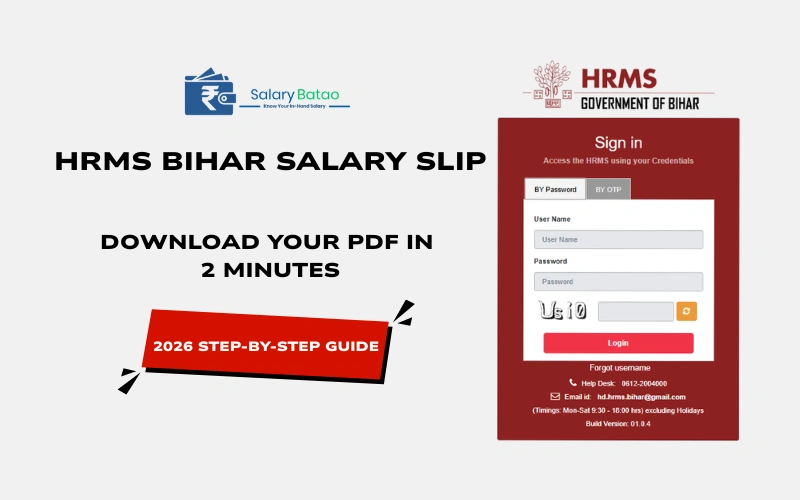
To get your HRMS Bihar salary slip, log in to hrms.bihar.gov.in with your Employee Code, open Payroll → Salary Slip, pick the month and financial year, and download the PDF — the whole thing takes under two minutes once your account is active.
That’s the short version. The long version — the one nobody tells you until you’re stuck on “Invalid Credentials” the night before a loan deadline — is what this guide covers.
I’ve spent years watching Indian state e-governance portals evolve, and HRMS Bihar is a good case study in how a clunky government tool becomes genuinely usable. If you’re a teacher, clerk, police staff, or health department employee trying to pull your HRMS Bihar salary slip for a bank, a tax filing, or just to double-check your DA calculation, here’s everything — updated for the HRMS 2.0 rollout in 2026.
What Is HRMS Bihar, Exactly?
HRMS stands for Human Resource Management System. It’s the Government of Bihar’s official employee self-service portal, built and maintained by the National Informatics Centre (NIC). Instead of visiting a treasury office for every payroll question, employees log in once and handle salary, leave, service records, and GPF from a single dashboard.
More than 6 lakh government employees across Education, Health, Police, PWD, Revenue, and Agriculture departments now use it monthly. That scale is exactly why small glitches — an unseeded record, a mistyped Employee Code — cause so much noise online. When a system serves that many people, even a 1% error rate is thousands of frustrated employees.
Also Read: Major Rishabh Singh Sambyal Salary
Why Your Salary Slip Suddenly Matters
Nobody thinks about their payslip until they need it urgently. In practice, the HRMS Bihar salary slip PDF download gets requested for:
- Home or vehicle loan applications (banks usually want 3–6 months)
- Income tax filing and Form 16 reconciliation
- Salary discrepancy disputes with your DDO
- Visa or embassy income proof
- Simple record-keeping, especially after a pay revision
Here’s the part most guides skip: your salary slip is only as accurate as your DDO’s (Drawing and Disbursing Officer’s) monthly bill submission. If a figure looks wrong, the fix usually isn’t on your end at all — it’s a bill correction request to your DDO.
How to Download HRMS Bihar Salary Slip: Step-by-Step
On Desktop
- Go to hrms.bihar.gov.in (bookmark it — avoid third-party lookalike sites).
- Enter your Employee Code and password, then complete the CAPTCHA.
- On the dashboard, open the Payroll or Salary menu.
- Click Salary Slip.
- Select the Financial Year and Month from the filter.
- Click View Salary Slip — it loads as an on-screen PDF.
- Click Download or use your browser’s “Save as PDF” to get the HRMS Bihar salary slip PDF download file.
Download HRMS Bihar Salary Slip Example format –
On the Mobile App
The official HRMS Bihar app (published by the Bihar Prashasnik Sudhar Mission Society) mirrors the desktop flow:
Login → Payroll → Salary Slip → select month → download.
It’s the faster route if you’re mid-commute and someone just asked you for proof of income.
Also Read: Trapit Bansal Salary
A Quick Note on Hindi Access
Search interest around HRMS Bihar salary slip PDF download in Hindi (and older queries like “PDF download in Hindi 2020” or “2021”) mostly traces back to employees who used earlier HRMS versions with limited language support. HRMS 2.0 doesn’t require a separate Hindi URL — the interface toggle and salary slip layout render Hindi labels for most fields once selected in your profile settings.
Reading Your Salary Slip: What Each Line Actually Means
A payslip full of abbreviations is where most confusion lives. Here’s the decode:
| Term | What It Means |
|---|---|
| Basic Pay | Your fixed base salary before any allowance |
| DA (Dearness Allowance) | Cost-of-living adjustment, revised periodically by the state |
| HRA (House Rent Allowance) | Housing component, varies by posting location |
| GPF (General Provident Fund) | Mandatory retirement savings deduction |
| Net Pay | What actually lands in your account after deductions |
Understanding this matters more than it sounds — a jump in “Net Pay” without a matching DA revision notice is exactly the kind of thing worth flagging to your DDO before it becomes a recovery notice six months later.
Mini Case Study: The DDO Seeding Problem
Consider a composite scenario I’ve seen repeated across employee forums: a school teacher with 15 years of service needed six months of salary slips for a home loan. She opened hrms.bihar.gov.in, entered her Employee Code and password — and got “Invalid Credentials,” three times in a row.
The actual issue had nothing to do with her password. Her Block Education Officer confirmed her account existed, but her DDO hadn’t seeded her data into the system yet — meaning the credentials were technically valid but not yet activated for login. One request from the BEO to the DDO, and she was logging in and downloading her slips the next day.
Why this matters: most “broken login” complaints aren’t password problems — they’re activation problems upstream of the employee’s control. Knowing this saves you days of retrying the same credentials.
Also Read: VDO Salary in Rajasthan
The 3D Checklist (Before You Try to Download)
A simple framework I use when troubleshooting HRMS access issues — check these in order:
- Data — Has your DDO seeded/activated your record? Confirm with your establishment section if this is your first login.
- Device — Are you on a supported browser in desktop-site mode, with cache cleared? Avoid peak hours (9–11 AM) when load times spike.
- Download — Did you select the correct financial year and month, and did the DDO submit that month’s bill? Salary slips typically appear 24–48 hours after bill submission.
If all three check out and you still can’t get your HRMS Bihar salary slip download, escalate — don’t keep retrying.
HRMS 1.0 vs HRMS 2.0: What Actually Changed
| Feature | HRMS 1.0 | HRMS 2.0 |
|---|---|---|
| Dashboard load time | Slow, frequent timeouts | Significantly faster |
| Mobile access | Required desktop mode | Fully mobile-responsive |
| Salary slip generation | Delayed, inconsistent PDFs | Faster, more reliable |
| Sensitive actions (e.g., salary revision) | Password only | Biometric 2FA added |
| Leave tracking | Manual status checks | Real-time approval tracking |
The takeaway: if you last used HRMS Bihar years ago and gave up on it, it’s worth another look. The 2.0 upgrade addressed the exact complaints that made the old portal frustrating.
Common Mistakes People Make
- Confusing HRMS with BRDS. Bihar Rural Development Society employees use a separate Oracle PeopleSoft-based portal — not hrms.bihar.gov.in.
- School teachers assuming HRMS is their salary system. Many Education Department teachers actually manage salary and service records through e-Shikshakosh, not general HRMS.
- Assuming pre-2018 records are online. Roughly 87% of records are digitized; older ones typically sit in the District Record Room and need a manual request.
- Trusting third-party “password pattern” tips. No official default PDF password pattern is published — if your slip is protected, contact your DDO or the helpdesk directly, not a random forum post.
By the Numbers: Benchmarks Worth Knowing
- 6+ lakh employees rely on HRMS Bihar monthly across departments (Government of Bihar HR data).
- 38 district NIC centres provide localized technical support statewide.
- 87% of service records are fully digitized as of 2026, per portal documentation.
- Aadhaar-linking has been mandatory for financial transactions since January 2023.
- The central helpline (0612-2217601) runs Monday–Saturday, 8 AM–10 PM.
Also Read: Ajit Doval Salary
Key Takeaways
- Your HRMS Bihar salary slip downloads in under two minutes once your account is active: Login → Payroll → Salary Slip → select month/year → Download.
- Most login failures trace back to DDO data seeding, not a wrong password.
- HRMS 2.0 fixed the speed, mobile-access, and reliability issues that plagued the earlier version.
- Teachers should confirm whether their salary actually runs through HRMS or e-Shikshakosh before troubleshooting the wrong portal.
- Escalate through the three-tier helpdesk (Central → District NIC → HR Directorate) if self-troubleshooting fails.
FAQs
1. How do I get my HRMS Bihar salary slip if I forgot my password?
Use the “Forgot Password” link on the login page — a reset OTP goes to your Aadhaar-linked registered mobile number.
2. Is there an official HRMS Bihar salary slip PDF download app?
Yes, the official HRMS Bihar mobile app is available on the Google Play Store and offers the same salary slip download flow as the desktop site.
3. Why does my HRMS Bihar salary slip PDF download show the wrong month?
Your DDO may not have submitted that month’s bill yet. Slips typically appear 24–48 hours after submission.
4. Can retired employees access an HRMS Bihar salary slip?
Retired employees register using their PPO (Pension Payment Order) number, with service history typically available for up to 10 years post-retirement.
5. Is the HRMS Bihar salary slip download free?
Yes — it’s a free self-service feature for all registered Bihar government employees; no fee or third-party service is required.
Summary
Getting your HRMS Bihar salary slip doesn’t need to be a monthly headache. Once you understand that most access issues sit with DDO data seeding rather than your own credentials, the process becomes what it was designed to be: login, select, download, done. With HRMS 2.0’s faster PDFs and mobile access, 2026 is the easiest this portal has ever been to use.
